Transcribe audio, generate speech, and clone voices - all locally on your Mac with cutting-edge AI
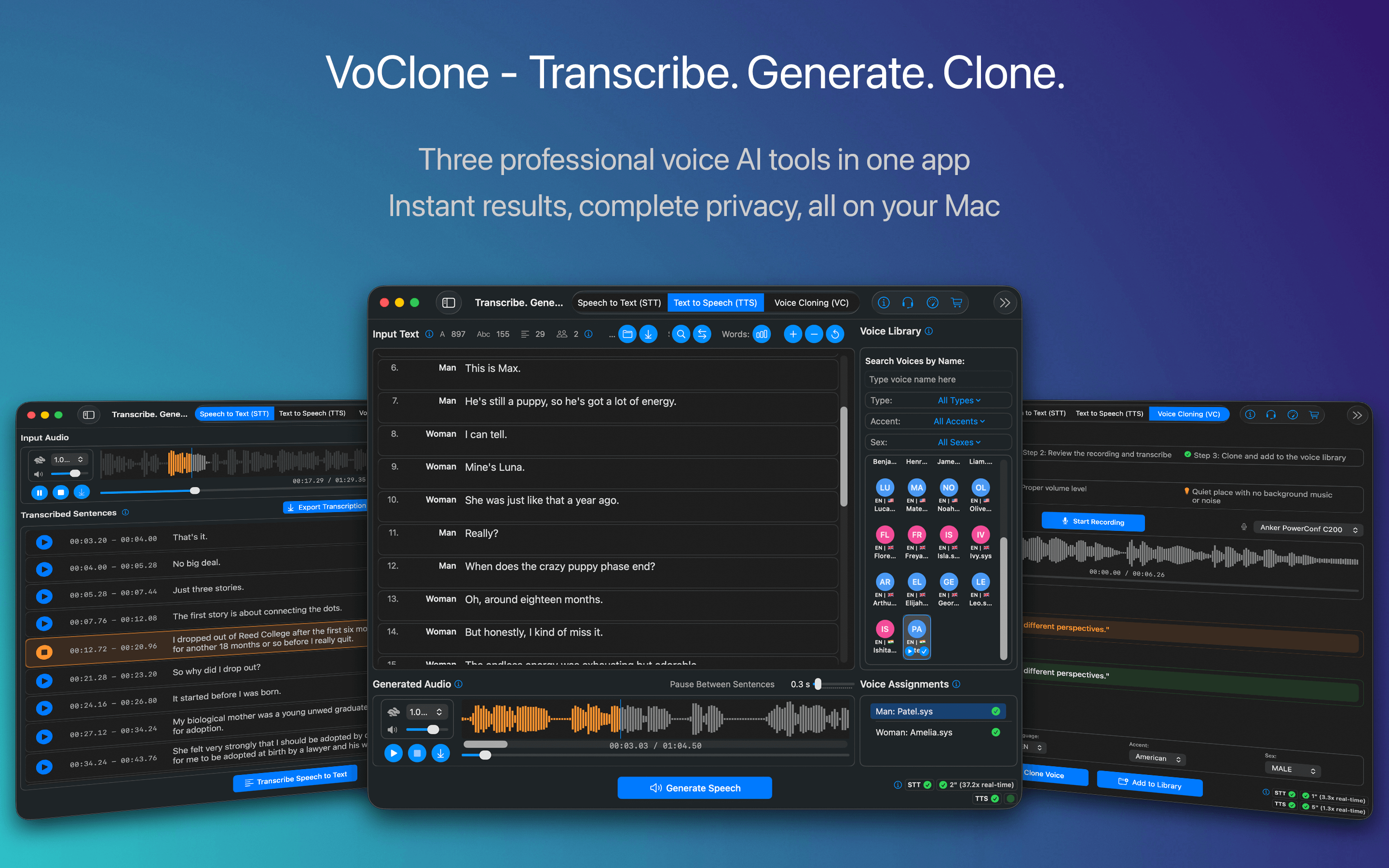

VoClone combines voice cloning, text-to-speech, and speech-to-text in one easy-to-use package.
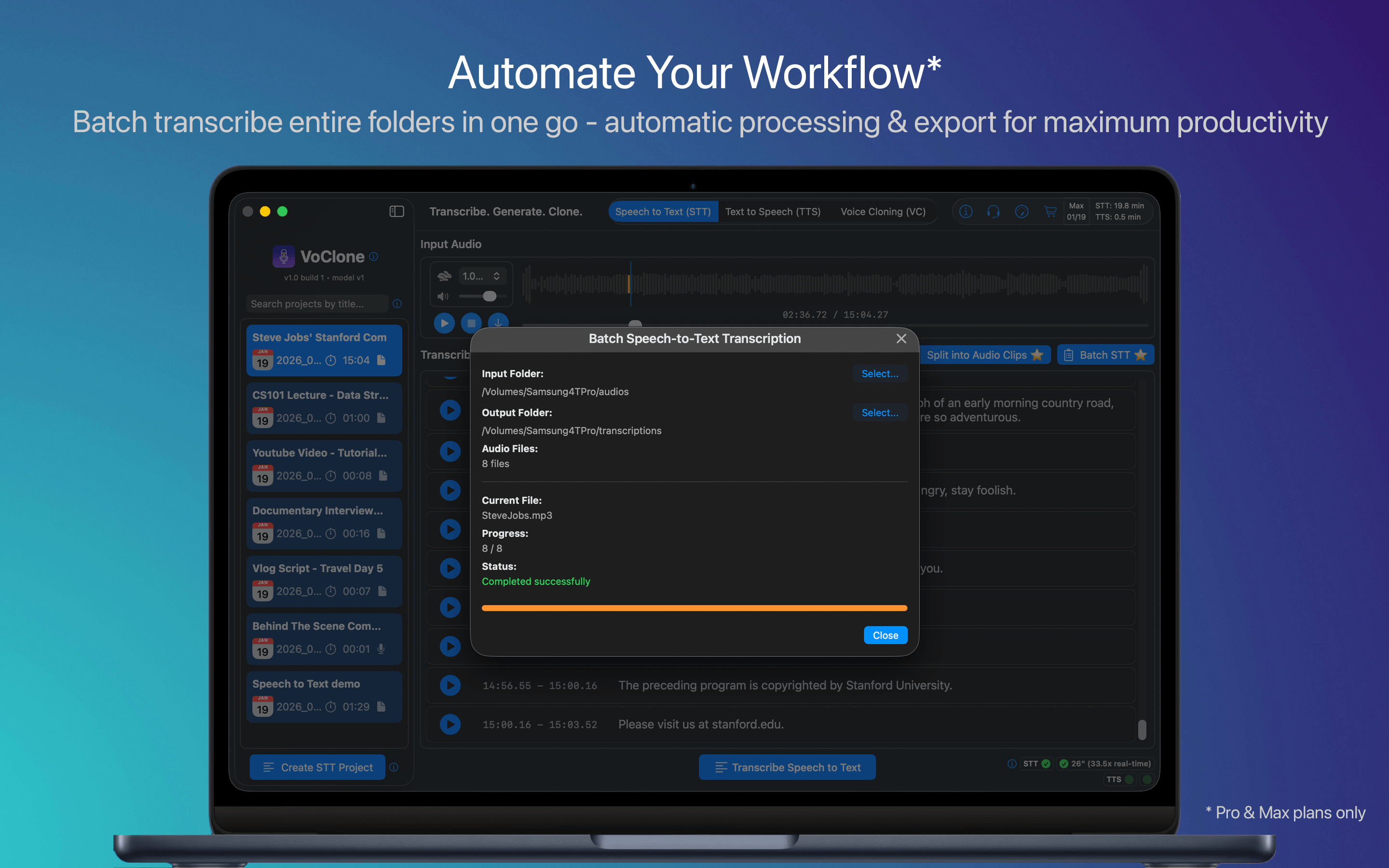
Speech-to-Text
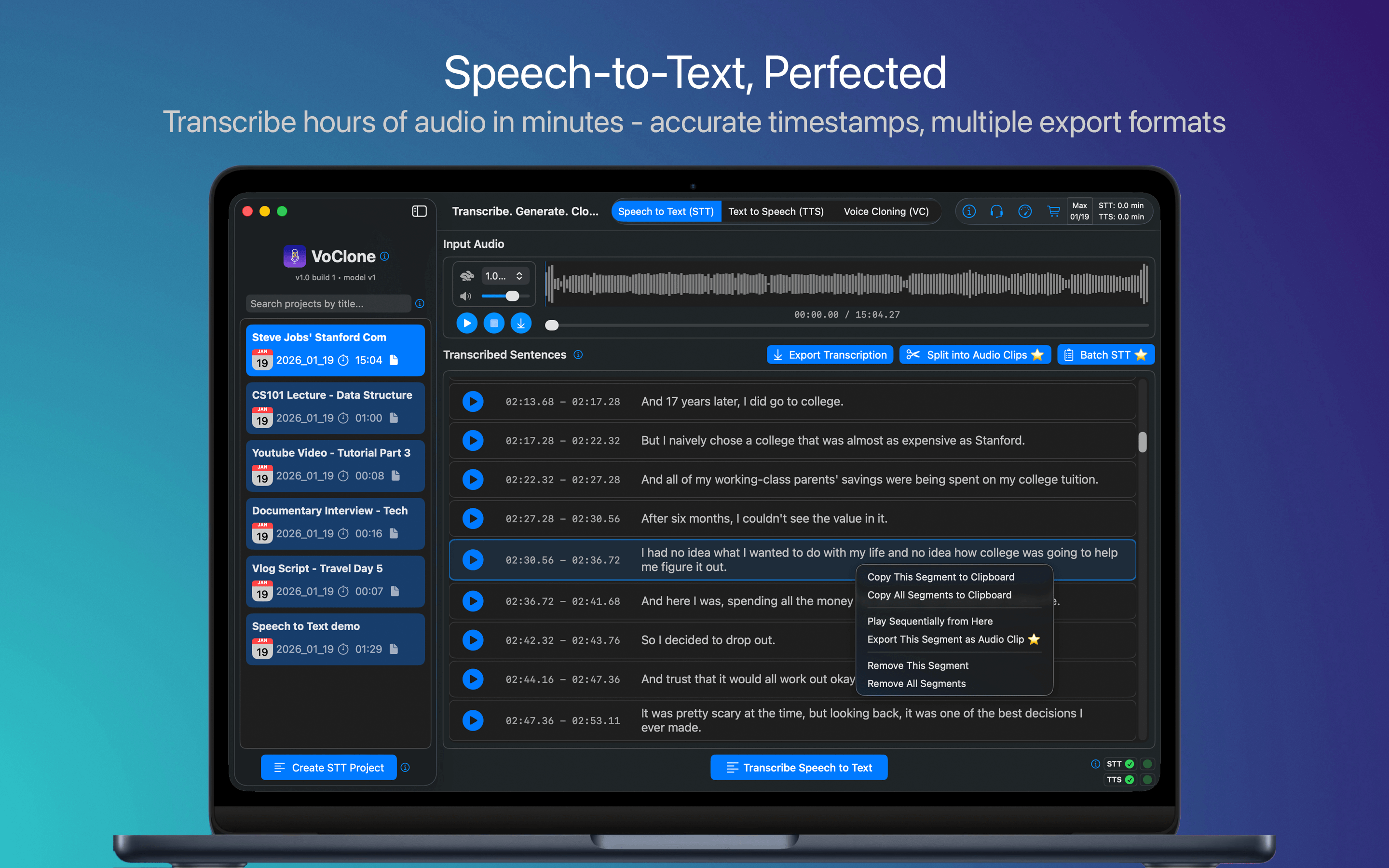
Transcribe audio files with timestamps and speaker diarization. Batch processing included.
Text-to-Speech
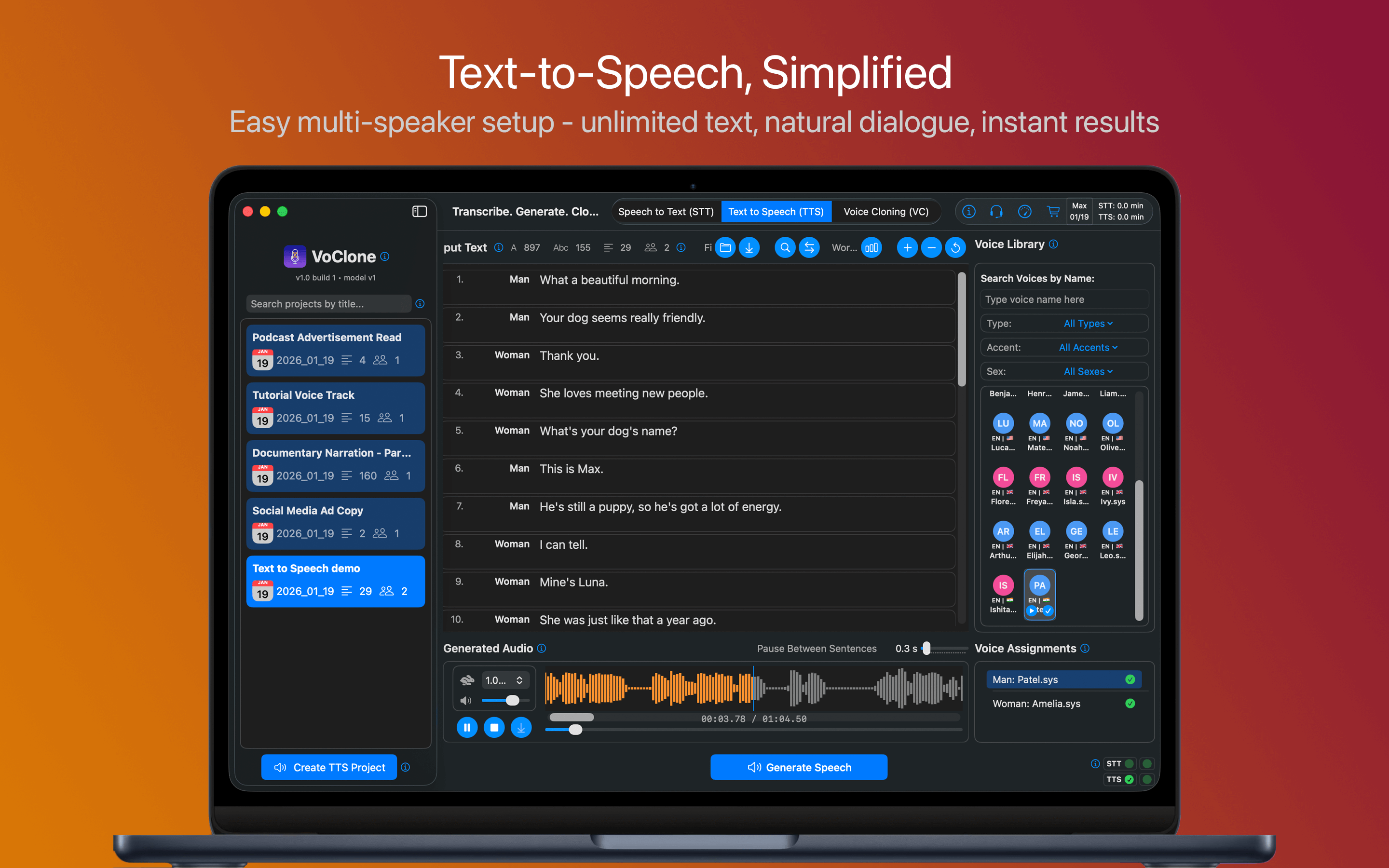
Generate high-quality speech from text using cloned voices or built-in voices with multi-speaker support.
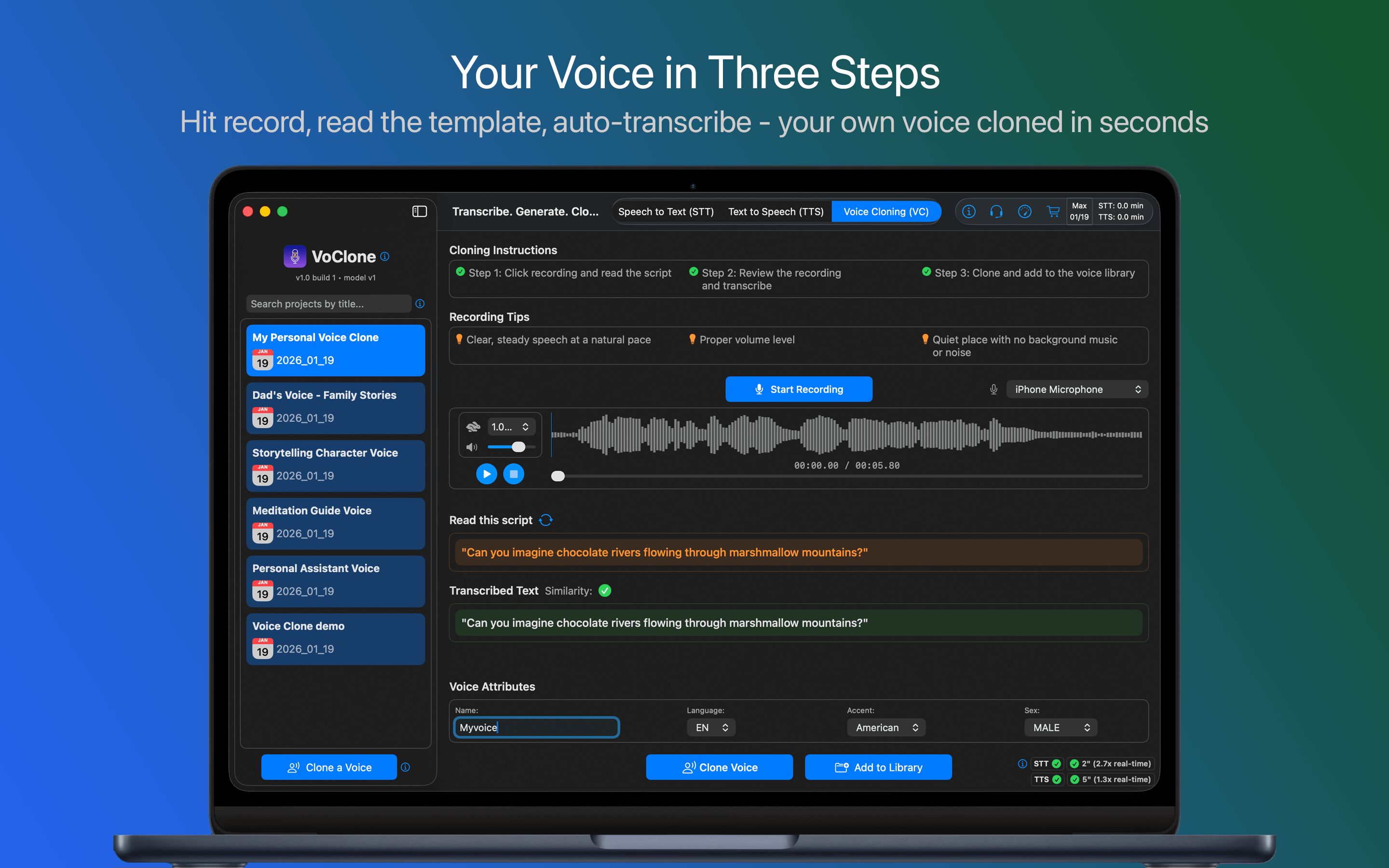
Voice Cloning
Record audio samples and train custom voice models for natural-sounding speech synthesis.
Transcribe audio files with exceptional speed and accuracy. Export in multiple formats for any workflow.
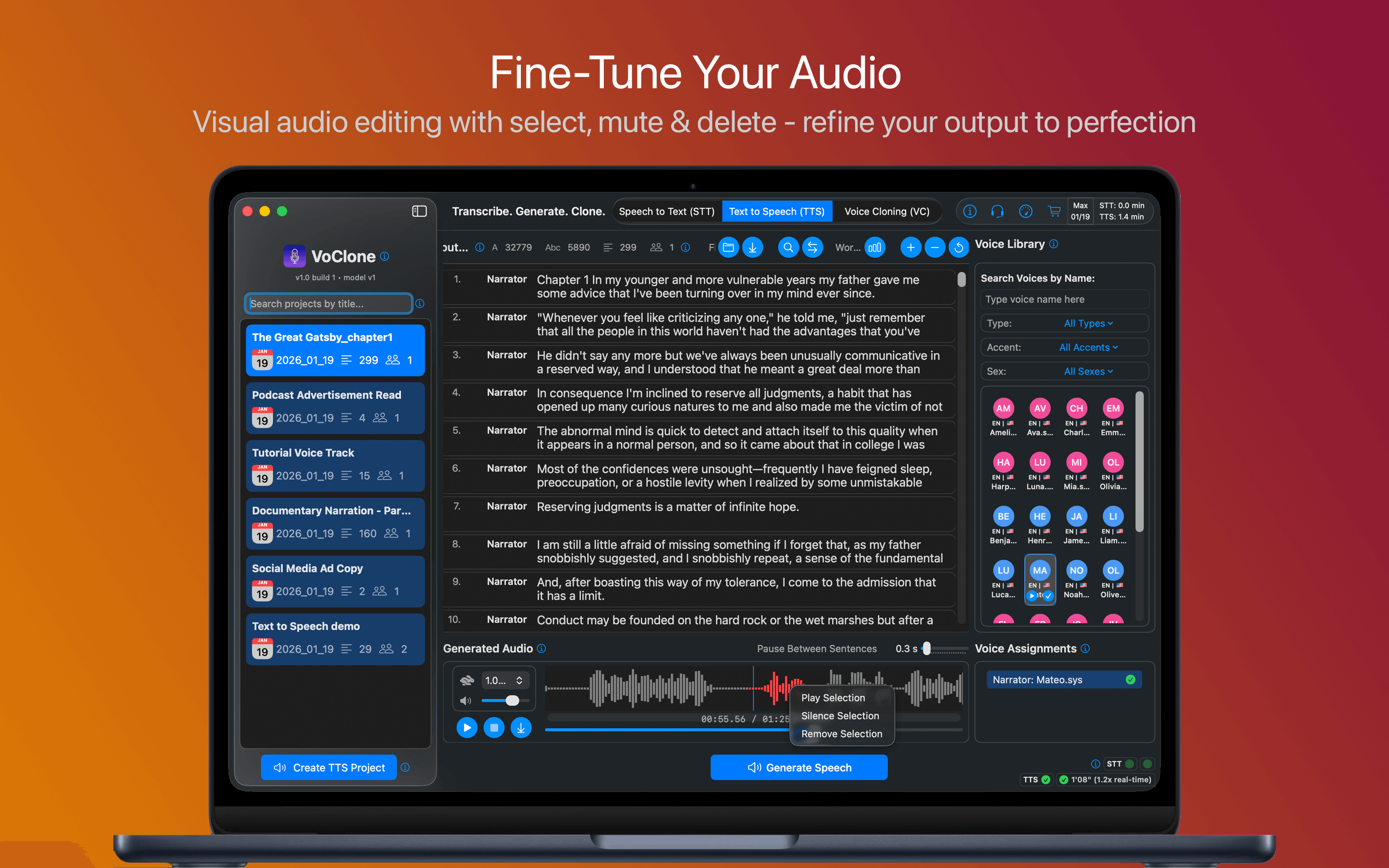
Generate natural-sounding speech from text. Create multi-speaker conversations with ease.
Clone your voice in seconds. Use cloned voices for natural-sounding speech generation.
Your Voice Studio. Your Privacy. All processing happens on your device.
Start for free, upgrade as you grow. All plans include local processing and privacy.








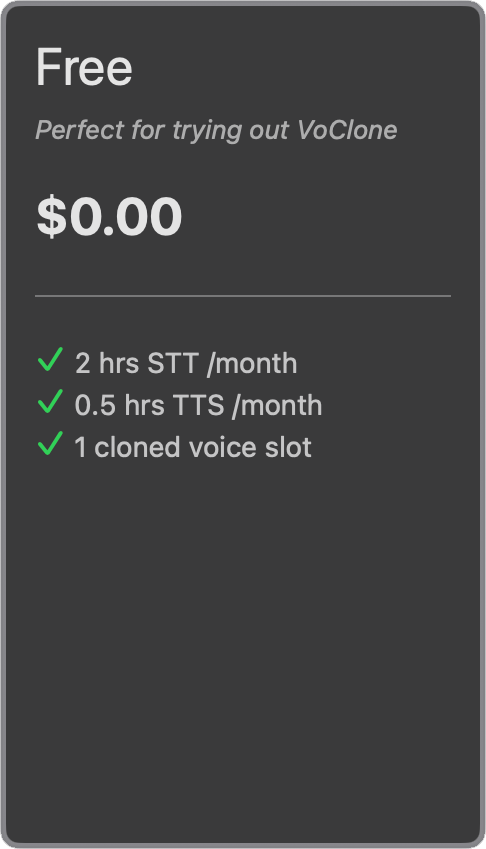
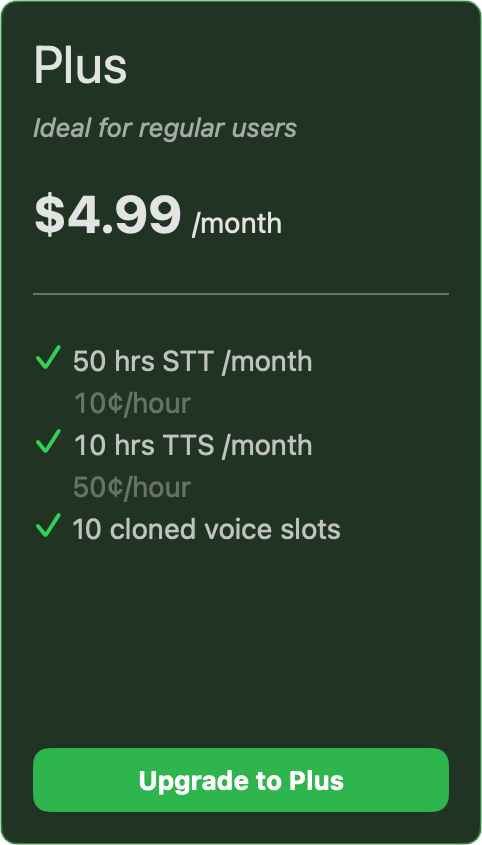
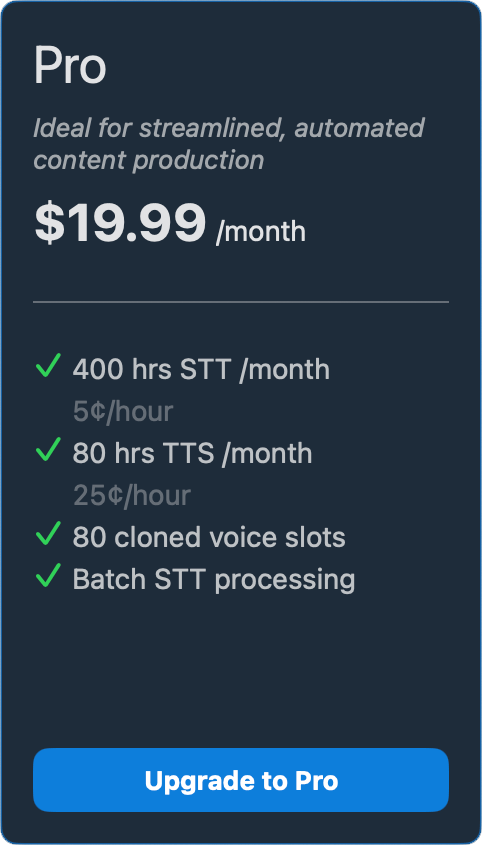
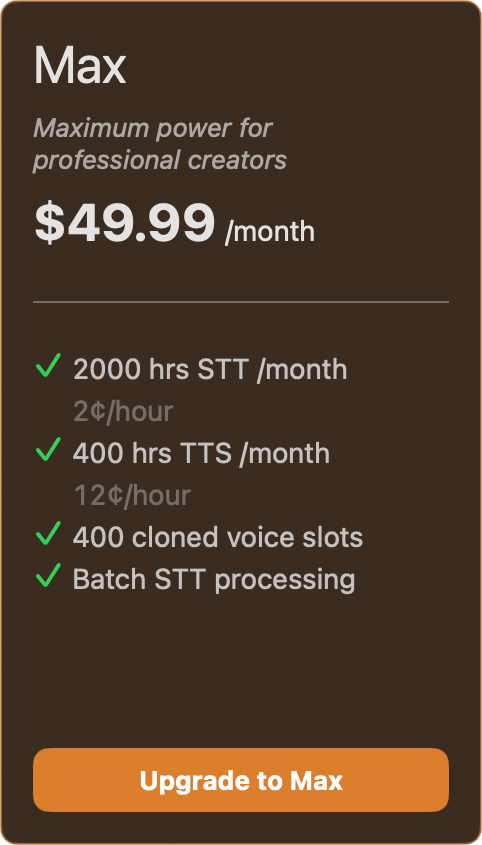
Annual subscriptions now available with 40% OFF
Costs as low as 1.5¢ per STT hour and 7.5¢ per TTS hour
Optimized for Apple Silicon with blazing-fast local AI processing.
| Component | Requirement |
|---|---|
| Operating System | macOS 15.4+ |
| Processor | Apple Silicon (M1+) |
| Memory | 8GB RAM (16GB recommended) |
| Storage | 4GB free |
| Initial Download | ~2GB (one-time) |
| Category | Format |
|---|---|
| Audio Input | WAV, MP3, M4A, MP4 |
| Audio Output | M4A @ 44.1kHz |
| Transcription | TXT, SRT, VTT, JSON |
| Feature | M1 MacBook Air | M4 MacBook Air |
|---|---|---|
| Speech-to-Text | 52x real-time (1 hr audio in 1.2 min) | 81x real-time (1 hr audio in 0.7 min) |
| Text-to-Speech | 1.4x real-time (1 hr audio in 43 min) | 1.8x real-time (1 hr audio in 33 min) |
| Voice Cloning | ~3.5 seconds per clone | ~2 seconds per clone |
* Speed may vary depending on factors such as audio length and system load.
Contact us at voclonesupport@agileedgeai.com